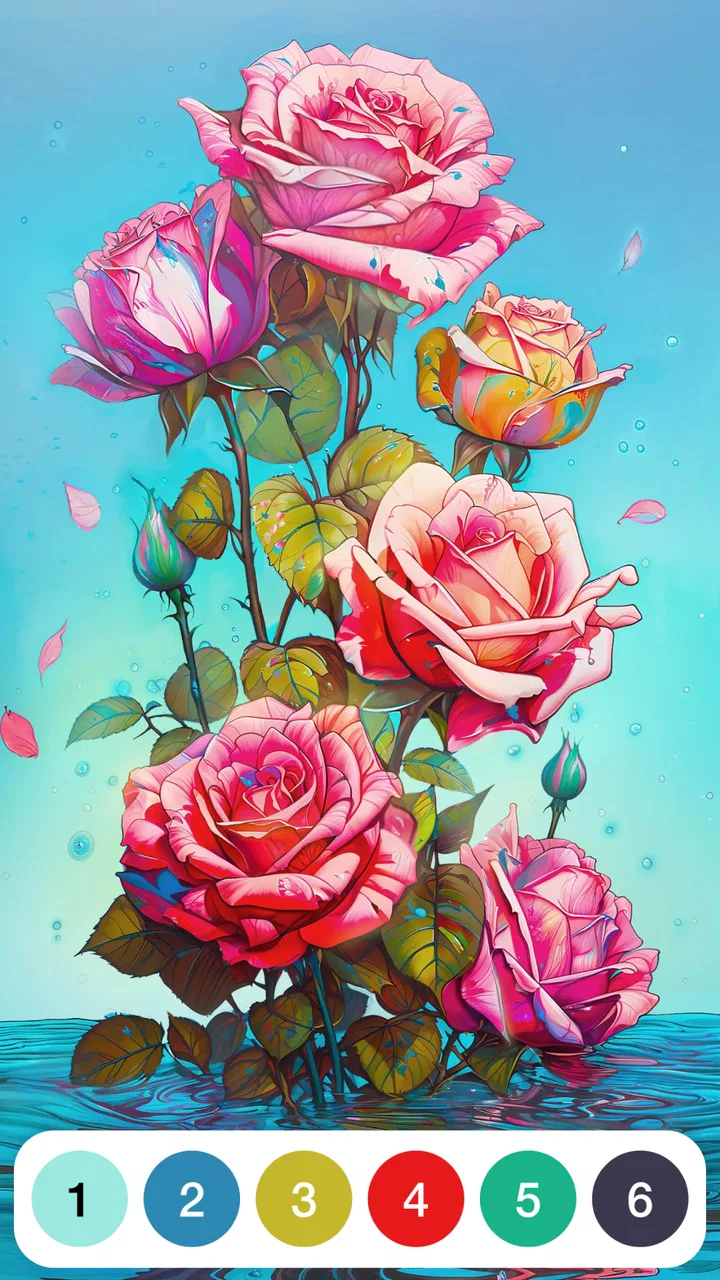
Paint by Number: Coloring Game
- 4.8
- Rating
- 5.00M
- Installs
- Free
- Price

 Analysis by App-foxy
I picked up Paint by Number: Coloring Game expecting a quiet way to fill a few spare minutes, and that is exactly where it works best. It is a casual coloring game from Oakever Games, built around matching numbered sections with the right colors. The idea is simple enough to understand immediately, but the steady rhythm of tapping small areas can become surprisingly absorbing.
My overall impression is positive, with one important qualification: this is a relaxation game rather than a serious drawing tool. You are not creating an image from a blank canvas, and you are not competing in a skill-based contest. You are completing prepared pictures one section at a time. That makes it approachable, but it also means the experience depends heavily on whether you enjoy repetitive, guided progress.
The game is free to start, is suitable for Everyone, and runs on Android devices using version 7.0 or later. Its current version is 5.1.3, and the app has passed the one-million-install mark. Those details make it easy to try on an older compatible phone, although the presence of in-app purchases means I would still approach the free download with a little awareness rather than assuming every part of the experience is unrestricted.
You May Also Like

 Google Keep - Notes and lists
Google Keep’s Quiet Growth Shows the Appeal of Simpler Notes
As mobile work gets busier, Google Keep keeps winning a simple contest: capture a thought quickly, find it later, and get on with the day.

 Blood Strike: 2.5 Anniversary
Blood Strike’s Loadouts Turn Every Drop Into a Tactical Gamble
A close look at Blood Strike’s custom loadouts: how fast access to signature weapons reshapes its battle royale rhythm, rewards preparation, and narrows the gap between fights.

 Pandora - Music & Podcasts
Pandora’s Music Is Easy to Start, but Harder to Recover
Pandora’s strength is its low-effort path from a seed to a station. Its weak spot is how much confidence it asks you to place in connection, setup, and quiet recovery.

 8 Ball Pool
 Is Built on Rivalries, Rematches, and Routine
A close look at the rivalries, rematches, shared routines, and unanswered safety questions that turn a quick pool match into a persistent mobile community.

 Samsung Music
’s Quiet Strength Is Playing What You Already Own
Its reach comes less from spectacle than from dependable access to a personal library. That simplicity is both the app’s strongest retention engine and its ceiling.

 AccuWeather: Weather Radar
AccuWeather Review: A Quick, Clear Forecast for Everyday Decisions
For everyday plans, the best forecast is the one you can understand quickly. AccuWeather makes rain timing, radar, and local conditions easy to act on, with a few trade-offs.
More From Our News Desk



How the coloring loop feels in everyday use
The first few minutes are deliberately low-pressure. I can choose a picture, look for a numbered area, select the matching color, and tap to fill it. There is no complicated control scheme to learn, which is important for this kind of game. The appeal comes from watching an unfinished picture gradually become complete, not from mastering difficult mechanics.
I found it especially suitable for short breaks when I wanted something more engaging than scrolling but less demanding than a puzzle game. A realistic use case is a ten-minute pause during a busy day: I can finish a few sections, stop without losing the sense of progress, and return later when I want another quiet activity. It also fits the end of the evening, when a fast competitive game would feel too stimulating.
The numbered format gives the experience a useful sense of direction. Instead of wondering what to draw next, I always have a small task in front of me. That removes decision fatigue, which is one reason these games can feel calming. At the same time, the same structure can become monotonous if I play for too long. After several pictures, the basic action remains the same, so the game is better used as a gentle routine than as an all-day challenge.
One practical tip is to avoid treating every image as a race to completion. I get more from it when I work in small clusters, finish a recognizable part of the picture, and then put the phone down. Completing every tiny section in one sitting can turn a relaxing activity into a chore, particularly when the image contains many narrow areas that require careful tapping.
Where the guided format helps
Paint by number is a good match for people who like visible progress but do not want to make artistic decisions. Someone who feels intimidated by a blank digital canvas can begin immediately, while a child or older player can understand the central interaction without a long tutorial. The Everyone rating reflects that broad accessibility, although younger users may still need guidance around optional purchases.
I also think the format works well for people who enjoy repetitive hand movements. The small actions create a predictable rhythm, and that predictability is part of the attraction. If you prefer open-ended creativity, however, the fixed pictures may feel limiting. A freehand drawing app or a more flexible coloring program would be a better choice when the goal is personal expression rather than completion.
Another useful habit is to use the number cues as a visual search exercise instead of tapping randomly. I scan the image for several matching areas before filling them. This makes the session feel more deliberate and reduces the irritation of hunting through the picture one tiny section at a time. It is a small change, but it helps the game feel less like busywork.
Progress without turning relaxation into pressure
The strongest progress system here is the picture itself. An incomplete image gives me an immediate reason to continue, and each filled region provides a small confirmation that the task is moving forward. That is enough motivation for casual play, but it can also create a subtle “just one more section” feeling. I would recommend setting a natural stopping point before starting a session, especially if you are using the game late at night.
This matters because the game’s relaxing quality depends on how I approach it. If I focus on finishing quickly, tiny uncolored areas become obstacles. If I treat the image as a slow activity, those same areas become the main source of calm. The app does not need a complex progression system to be engaging; the completion process carries most of the weight.
There is also a trade-off between convenience and attention. Large, obvious sections can be filled almost automatically, while detailed areas demand more careful tapping. I like that change of pace because it stops the activity from becoming completely mindless, but users with limited patience or difficulty selecting small targets may find detailed pictures tiring.
For that reason, I would begin with simpler-looking artwork rather than choosing the most intricate image available. A picture that can be completed in several comfortable sessions is more satisfying than one that becomes an unfinished obligation. This is one of the less obvious ways to get more from the app: choose artwork according to your available time, not only according to its appearance.
What spending means here
The game is free to download, but its in-app purchases range from $4.99 to $69.99 per item. That is the most important spending context for a new player. The existence of a high-priced purchase option does not by itself tell me how often it appears, what it unlocks, or whether it is necessary for ordinary play, so I would not assume that every image or convenience is included at no cost.
My advice is simple: try the free portion first and decide whether the basic coloring loop is enjoyable before spending anything. If the core action already feels repetitive after a short session, paying will not solve that underlying issue. If you genuinely use the game as a regular relaxation tool, then you can judge any optional purchase by how much it improves your own routine, rather than buying because the screen creates urgency.
Families should also keep purchase controls in mind. The age rating is Everyone, which makes the app broadly approachable, but an accessible game can still present purchase choices that deserve adult attention. I would avoid handing the phone over with unrestricted payment access, particularly when a child is using it independently.
What I can say confidently is that the purchase range should be treated as a real part of the decision, not an afterthought. What I cannot fairly claim is that purchases are required, that they are always optional, or that the game is unusually aggressive about them. Those conclusions would depend on details that are not established here. A careful player should therefore evaluate the actual prompts encountered in their own use.
Is the experience competitive or fair?
This is not the kind of casual game I would choose for competition. The central activity is personal picture completion, so the main comparison is with my own patience and available time rather than with another player’s score. That is a positive feature if I want to relax without leaderboards, rankings, or performance pressure, but it also means there is little reason to return for competitive improvement.
In terms of fairness, the game’s basic premise feels straightforward: match a number to a color and fill the corresponding area. There is no apparent need for advanced gaming skill to understand the task. Still, fairness in a free-to-play coloring game is not only about the rules of coloring. It also involves whether access to appealing content or convenient progress is tied to spending, and the purchase information alone does not establish exactly how that balance works.
I would compare it with traditional coloring books in a specific way. A paper book has a one-time material cost and gives me complete control over my colors, but it requires supplies and a physical surface. This game is more convenient and guides each choice, yet it offers less creative freedom and may place optional digital purchases around the experience. Compared with a freehand art app, it is easier to start but much less expressive.
It also differs from a conventional puzzle game. A puzzle usually asks me to discover a solution, while this game mainly asks me to follow a visual code. That makes it more accessible and less mentally demanding, but players seeking novelty, strategy, or a strong sense of mastery may find ordinary puzzle alternatives more rewarding.
My practical fairness test is whether I still enjoy the freely available activity without feeling pushed to buy. If the answer is yes, the app can work as a calm pastime. If the experience repeatedly makes progress feel blocked or turns every appealing choice into a spending decision, I would move to a paper coloring book or another coloring app with a clearer free structure.
Questions I would consider before installing
Will it work on an older phone? It supports Android 7.0 and later, so it is not limited to only recent Android hardware. That said, compatibility is not the same as identical performance on every device. I would keep expectations sensible on an older phone, especially with detailed images or long sessions.
Is it suitable for children? The content rating is Everyone, and the simple number-matching format is easy to understand. I would still supervise spending access, because the game includes in-app purchases. The age rating answers the content question more directly than it answers the payment-management question.
Do I need artistic ability? No. The prepared image and numbered sections provide the structure. The relevant skill is patience and accurate tapping, not drawing technique. This is useful for beginners, but it also explains why experienced artists may find the app too restricted.
Can I treat it as a serious art tool? I would not. It is a guided casual game, not a replacement for drawing software. It can help me unwind and enjoy finished-looking images, but it does not give the same control as choosing my own composition, brush, palette, or technique.
Is it worth paying for? That depends on how much the free experience fits your routine. The free entry point makes trying it sensible, while the purchase range means I would postpone any payment until I understand what I actually use. I would never buy simply to avoid abandoning a picture I no longer enjoy.
My trust verdict after weighing the trade-offs
Oakever Games has made a focused casual game rather than an overloaded creative suite. The narrow purpose is its strength: open it, choose a picture, match numbers, and settle into a predictable rhythm. The app has an average rating of 4.6 from around 5.2 thousand ratings, and its reach of more than one million installs suggests that this simple format has found a substantial audience. Those figures are encouraging, although they do not replace my own judgment about the purchase experience.
I would recommend it to someone who wants a guided coloring activity for short breaks, prefers calm repetition to competition, and likes seeing a picture develop without having to invent the artwork. I would also recommend trying it to parents looking for a simple, age-appropriate activity, provided purchase controls are handled responsibly.
I would skip it if you want unrestricted creativity, deep puzzles, social competition, or a clearly defined artistic learning path. I would also be cautious if repetitive tapping quickly frustrates you or if you tend to spend impulsively when a free game presents optional upgrades. In those cases, paper coloring, a freehand art app, or a more strategy-focused casual game may serve you better.
My final view is that Paint by Number: Coloring Game succeeds when I use it as a small relaxation ritual, not as a game I need to conquer. The free starting point lowers the barrier to trying it, the Everyone rating keeps the concept broadly approachable, and the current version gives Android users a straightforward way to explore the format. The sensible approach is to enjoy the basic loop first, watch how spending choices fit into your own use, and stop when the activity stops feeling calming.
For me, the deciding principle is pay for lasting enjoyment, never for pressure. If matching colors and completing prepared pictures genuinely helps you slow down, this can be an easy recommendation. If the guided structure feels repetitive or the purchase context makes you uncomfortable, there is no reason to force it. Its value is clearest when the game remains a pleasant option rather than another obligation on your phone.
FAQs for Paint by Number: Coloring Game
01What is Paint by Number: Coloring Game?
Paint by Number: Coloring Game is a digital coloring app available for Android and iOS, offering a wide array of beautiful artwork to color. The app provides a relaxing experience by allowing users to fill in pictures using numbers corresponding to colors. It's perfect for both beginners and advanced artists looking to unwind.
02Is Paint by Number: Coloring Game free to use?
The app is free to download and offers a selection of free images to color. However, there are in-app purchases and subscription options that unlock additional features, such as premium pictures and an ad-free experience. Users can choose whether they want to pay for these extras or enjoy the free content.
03What features does Paint by Number offer to enhance the coloring experience?
Paint by Number includes features such as daily updates of new artwork, themed collections, and a user-friendly interface. The app also has a helpful hint system to locate hard-to-find sections, as well as the ability to save and share your completed artwork with friends and family on social media.
04Does Paint by Number require an internet connection?
While you can color completed downloads offline, an internet connection is needed to access new content and updates. This means users should be prepared to connect online to download new images and features. Once downloaded, images can be colored without an internet connection.
05How does Paint by Number handle user data and privacy?
Paint by Number adheres to standard privacy protocols and requires minimal permissions, primarily for providing personalized content and saving progress. Users can review the app's privacy policy for detailed information on data handling practices. It's always wise to ensure comfort with these policies before proceeding with the download.
Pros
- User-friendly interface for easy navigation.
- Wide variety of images to color.
- Regular updates with new pictures.
- Offline mode available for coloring anywhere.
- Relaxing music enhances the experience.
Cons
- Ads can be intrusive during use.
- Limited free images without subscription.
- Requires a stable internet for updates.
- Occasional bugs can disrupt progress.
- In-app purchases can be costly.

Paint by Number: Coloring Game
Gallery